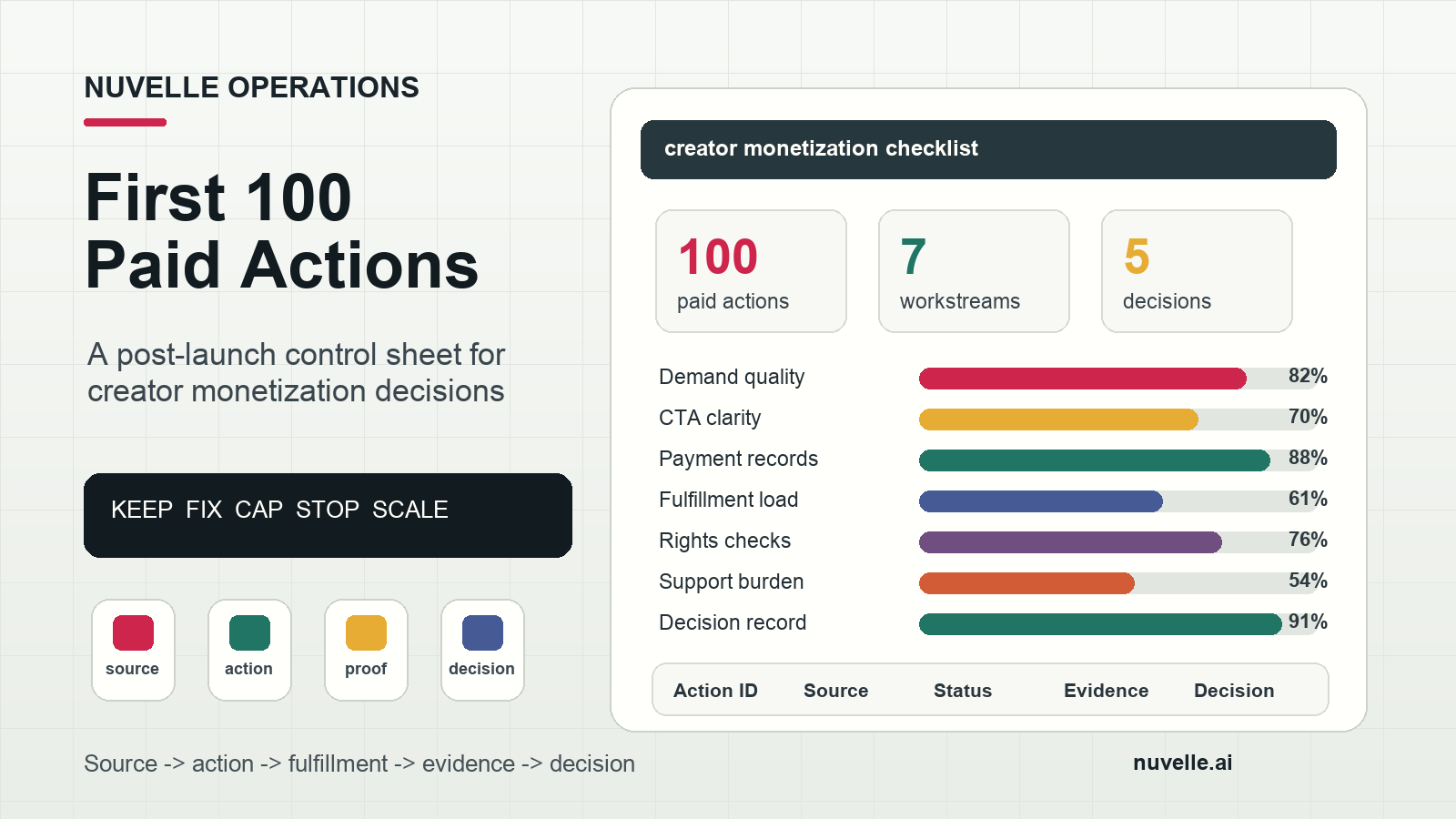
A creator monetization: implementation checklist should not end when the checkout works, the sponsor invoice is sent, or the membership page goes live. The real implementation test begins when the first buyers, sponsors, subscribers, applicants, or licensing partners start taking action.
The first 100 paid actions are not a victory lap. They are a controlled evidence window. If the team watches only top-line revenue, it can miss the operating signals that decide whether the offer should scale: unclear CTAs, weak proof, refund friction, sponsor scope creep, support burden, rights gaps, fulfillment delays, or attribution that cannot connect a buyer to the content that created demand.
This guide extends Nuvelle’s broader creator monetization implementation checklist. Use the canonical checklist to build the monetization system. Use the offer packaging and CTA rollout guide before launch, the payment and fulfillment QA checklist for preflight, and this article once real paid actions begin.
The goal is simple: turn the first 100 monetization actions into a decision record that says what to keep, what to fix, what to cap, and what can safely scale.
Important: This is an operating framework, not legal, tax, accounting, financial, or platform-policy advice. Use current official sources and qualified professionals for decisions specific to your business, location, contracts, taxes, claims, and publishing channels.
The First-100-Actions Checklist at a Glance
Use this creator monetization: implementation checklist when the paid path is live but still early enough to change without damaging trust.
| Workstream | What to prove in the first 100 actions | Scale stop signal |
|---|---|---|
| Demand quality | Paid actions come from the audience the offer was built for | Revenue comes from mismatched buyers who need heavy explanation |
| CTA clarity | Buyers understand the next step before asking support | The same question repeats in comments, DMs, emails, or calls |
| Payment and records | Every paid action has a transaction, owner, status, and evidence link | Revenue cannot be reconciled to cash, invoices, refunds, or fees |
| Fulfillment | Delivery happens on time without disrupting publishing cadence | Delivery depends on one person remembering manual exceptions |
| Rights and disclosure | Sponsored, affiliate, licensed, or paid-use assets stay inside approved terms | Commercial use creates disclosure, permission, or exclusivity uncertainty |
| Support burden | Exceptions are classified, resolved, and reduced | Support volume grows faster than revenue or repeats the same defect |
| Decision quality | The team can make a keep, fix, cap, stop, or scale decision | The launch produces opinions but no comparable operating data |
Do not wait for a huge sample before you review the system. A creator monetization offer can reveal a broken handoff in the first 10 actions. The first 100 simply gives the team enough repeated behavior to separate one-off friction from structural friction.
When This Checklist Fits
This creator monetization: implementation checklist is for the post-launch validation window. It fits after the offer has passed preflight and before the team increases budget, expands sponsor inventory, opens a larger cohort, launches a second product, adds a new language, or commits more production capacity.
Use it for:
- Memberships, paid communities, subscriptions, and bonus-access offers
- Digital products, templates, toolkits, reports, and course pilots
- Sponsorship packages, brand integrations, and campaign retainers
- Affiliate hubs, recommendation libraries, and trackable partner offers
- Workshops, coaching, audits, creator services, and production support
- Licensing, localized content packages, finished assets, and format rights
- Vertical-drama teams testing paid episode access, bonus scenes, sponsor integrations, creator education, or production assets
If you have not launched yet, start with the creator monetization implementation checklist template. If you already have weekly revenue and need reporting discipline, use the creator monetization revenue tracking guide. This article sits between those stages: it controls the first live evidence window.
Step 1: Define What Counts as a Paid Action
Before the first review, define the unit you are counting. “First 100 paid actions” does not always mean first 100 completed purchases.
Pick the paid action that best matches the offer:
| Offer type | Count this as a paid action | Do not mix it with |
|---|---|---|
| Membership | Paid signup, renewal, upgrade, cancellation, refund request | Free followers or ordinary email subscribers |
| Digital product | Purchase, download tied to payment, refund, failed checkout | Page views or sample downloads |
| Sponsorship | Qualified scope request, signed deal, invoice, approval, renewal | Generic brand comments or cold leads |
| Affiliate | Trackable outbound click, coupon use, confirmed commission event | Untracked recommendations |
| Service | Paid booking, deposit, signed scope, completed intake | Casual DMs asking for advice |
| Licensing | Rights inquiry, approved package request, signed license, renewal | Ordinary content views |
| Vertical-drama bonus content | Paid unlock, bonus access, episode-pack purchase, refund, support ticket | Free episode starts |
Use one primary action for the first decision window. Secondary signals can explain behavior, but they should not replace the main count. For example, a bonus-scene launch may track comments, email clicks, and episode starts, but the first-100 window should still be anchored to paid unlocks or paid signups.
First-100 action definition card
Write this before the launch review:
Offer:
Primary paid action:
Start date:
End condition: first 100 actions or [date], whichever comes first
Included statuses:
Excluded statuses:
Primary owner:
Evidence location:
Decision meeting date:
The end condition matters. If the first 100 actions take three days, review the system quickly. If they take three weeks, do not pretend the same launch velocity exists. Record the time window because it affects the scale decision.
Step 2: Segment the First 100 Actions by Source and Intent
The first 100 actions are only useful if the team can tell where they came from and what they were trying to do.
At minimum, tag each action with:
| Field | Why it matters |
|---|---|
action_id |
Gives each paid action a stable reference |
offer_id |
Separates one monetization offer from another |
buyer_type |
Viewer, creator, sponsor, partner, student, licensee, or agency |
source |
TikTok, Instagram, YouTube, email, blog, referral, sponsor outreach, community, paid social |
content_id |
The post, video, email, article, deck, or message that created the action |
market |
Country or market context when localization or payment behavior matters |
language |
Source language or localized route |
status |
Paid, pending, refunded, failed, fulfilled, disputed, renewed, cancelled |
support_flag |
Whether the action created a question, exception, or manual fix |
Google Analytics documents manual campaign URL parameters such as utm_source, utm_medium, and utm_campaign, with additional parameters like utm_content and utm_term for more specific differentiation. Its official guidance also treats campaign parameter values as case-sensitive, so write controlled lowercase values before links go live.
If a path cannot use a link, create a workaround: coupon code, intake question, declared source, dedicated landing page, channel-specific form, QR code, or sponsor-deck link. The workaround does not need to be perfect. It needs to be consistent enough that the team can compare channels without inventing source stories later.
Source segmentation checklist
- [ ] Every paid action has one primary source.
- [ ] Every source uses controlled lowercase naming.
- [ ] Organic, paid, referral, email, sponsor outreach, and owned-blog paths are separated.
- [ ] Link-in-bio, spoken CTA, DM, QR, coupon, and offline paths have a declared-source workaround.
- [ ] Buyer type is captured before the first review.
- [ ] Actions with unknown source are allowed, but they are labeled
unknownrather than forced into a convenient channel.
Step 3: Score Demand Quality Before You Celebrate Revenue
Revenue quality matters more than revenue surprise. A creator can sell the wrong offer to the wrong buyer and create a system that looks successful for one week, then collapses under support, churn, refunds, or delivery complexity.
Score the first 100 actions across five demand-quality questions:
| Question | Green signal | Red signal |
|---|---|---|
| Is the buyer the intended buyer? | Most actions come from the target viewer, sponsor, creator, or partner | Buyers need custom explanation or do not match the intended segment |
| Is the promise understood? | The most common questions are about timing, access, or fit | The most common questions ask what is being sold |
| Is the price or next step accepted? | Buyers move without repeated negotiation or manual reassurance | Payment, scope, or price confusion dominates support |
| Does proof carry the sale? | Buyers reference specific examples, episodes, templates, outcomes, or use cases | Buyers rely on creator charisma alone and ignore the proof pack |
| Is demand repeatable? | More than one content asset or channel creates qualified actions | One anomalous post drives all activity and cannot be repeated |
Do not use a single viral content event as proof that the monetization system works. Viral attention can be useful, but the first-100 review should ask whether the offer survives beyond that one spike.
For vertical-drama teams, connect demand to the story promise. If paid actions come from a billionaire-romance cliffhanger, the paid offer should logically extend that viewer desire: bonus access, early episodes, premium story drops, sponsor-relevant audience insight, or a production breakdown. If the offer is creator education, make sure the bridge from story consumption to production learning is explicit.
Step 4: Audit the Top 10 Questions and Objections
The fastest way to improve a creator monetization launch is to read the first 100 actions next to the first 100 questions.
Create a question log with five columns:
| Field | What to record |
|---|---|
| Question or objection | Use the buyer’s actual wording when possible |
| Source | Where it appeared: comment, DM, checkout, email, sponsor call, support ticket |
| Related offer element | Price, access, timing, scope, proof, refund, rights, disclosure, renewal, support |
| Root cause | Missing page copy, unclear CTA, broken link, weak proof, platform friction, bad expectation |
| Fix | Page edit, FAQ line, CTA rewrite, checkout label, support macro, scope-card update, product change |
Then classify the top 10 repeated issues:
| Issue type | What it usually means |
|---|---|
| “What do I get?” | Offer page or first-screen copy is too vague |
| “Is this for me?” | Buyer segment and eligibility need sharper wording |
| “How does payment work?” | Checkout, invoice, billing, renewal, or refund language is unclear |
| “When do I receive it?” | Fulfillment timing needs to be visible before purchase |
| “Can I use this commercially?” | Rights language is too weak for sponsors, creators, licensees, or partners |
| “Is this sponsored?” | Disclosure is not clear enough in the content path |
| “Where is my access?” | Delivery handoff or confirmation email is broken |
| “Can you customize it?” | Scope boundaries and premium path are unclear |
| “Does this work in my market?” | Localization or platform availability claims need better limits |
| “Can I cancel or refund?” | Support policy needs to be visible and operational |
Do not treat repeated questions as a customer-support nuisance. They are implementation data. If five buyers ask the same question, the system is speaking unclearly.
Step 5: Reconcile Money, Status, and Fulfillment Every Day
In the first 100 paid actions, daily reconciliation prevents a small launch from becoming a messy launch.
At the end of each day, confirm:
- Paid actions created the right internal records.
- Payment, invoice, payout, refund, and fee statuses are visible.
- Fulfillment status matches buyer-facing promises.
- Support exceptions have owners and deadlines.
- Manual fixes are recorded as defects, not hidden as “handled.”
- Evidence links are stored next to the action.
The IRS says business records should support income and expenses, and its official Self-Employed Individuals Tax Center points creators and small-business operators toward disciplined records for income, expenses, and estimated-tax responsibilities. Build the first-100 ledger so a finance owner can understand what happened without reconstructing the launch from screenshots.
For processors and platforms, separate the buyer event from the cash event. A checkout, invoice, card authorization, platform fee, balance transaction, refund, dispute, and bank payout may appear as separate records. The creator ledger should connect them.
Daily reconciliation table
| Check | Pass condition | Action if failed |
|---|---|---|
| Count | All paid actions are logged once | Deduplicate and add missing actions |
| Status | Each action has payment and fulfillment status | Add missing status owner |
| Cash | Fees, refunds, and payout timing can be traced | Add finance review note |
| Delivery | Buyer received or is scheduled to receive the promised outcome | Escalate late or missing delivery |
| Support | Every exception has owner, deadline, and next step | Move unresolved items to exception queue |
| Evidence | Receipts, invoices, approvals, links, screenshots, or exports are stored | Add evidence link before review |
This is where the creator monetization revenue tracking guide becomes the companion asset. The first-100 review does not need a perfect dashboard, but it does need records that can become one.
Step 6: Track Fulfillment Load, Not Just Sales
The first 100 actions should answer whether the team can deliver the paid promise without breaking the content engine.
Measure fulfillment load in practical units:
| Offer type | Fulfillment load to measure |
|---|---|
| Membership | Time to grant access, support tickets per signup, churn or cancellation reasons |
| Digital product | Missing-access tickets, refund reasons, update requests, download failures |
| Sponsorship | Revision cycles, approval delays, reporting time, rights-review time |
| Affiliate | Link maintenance, disclosure QA, report reconciliation, partner exceptions |
| Service | Intake time, delivery hours, revision time, no-show or reschedule rate |
| Licensing | Asset packaging time, rights review, delivery corrections, renewal reminders |
| Vertical-drama bonus access | Episode packaging, caption checks, unlock QA, support around access or device issues |
Use a simple formula:
fulfillment_load = direct delivery time + support time + revision time + reconciliation time
Then compare it with contribution, not gross revenue. If a $29 product creates 20 minutes of manual support per buyer, it may be weaker than the gross sales line suggests. If a sponsor package creates repeated unpriced cutdowns, the campaign may be under-scoped even if the invoice looks attractive.
Fulfillment load checklist
- [ ] Each offer has a defined delivery unit.
- [ ] Delivery time is measured for at least the first 10 actions.
- [ ] Manual support time is tracked separately from planned delivery time.
- [ ] Refund, cancellation, and revision reasons are classified.
- [ ] Sponsor or license scope changes are priced, rejected, or recorded as exceptions.
- [ ] The team knows the maximum number of actions it can fulfill without harming the core publishing cadence.
For short-form and vertical-drama teams, do not let monetization consume the production loop that created demand. Paid access, sponsor integrations, and creator education should support the content engine, not starve it.
Step 7: Recheck Rights, Disclosures, and Platform Rules in the Live Path
Revenue changes the content path. A social clip, episode, recommendation, review, sponsor integration, or behind-the-scenes asset may need different controls when it becomes part of a paid offer.
The U.S. Federal Trade Commission’s Disclosures 101 for Social Media Influencers says material connections should be disclosed clearly and in a way people are likely to notice. Treat the first-100 review as a live-path disclosure audit:
- Did the disclosure appear with the endorsement, affiliate link, sponsor mention, or gifted-product claim?
- Did the disclosure survive captions, thumbnails, edits, short versions, story slides, translated copy, and paid amplification?
- Did the platform’s disclosure tool appear where viewers saw it?
- Would an ordinary viewer understand the relationship before acting?
YouTube’s official help for paid product placements, sponsorships, and endorsements explains the platform’s paid-promotion declaration workflow and related policy expectations. If YouTube is part of the launch, include that declaration in the publication checklist. Do not rely on memory during a fast campaign.
TikTok publishes current program guidance for creator monetization eligibility and requirements through its Creator Rewards Program support pages. Treat platform-payout programs as policy-dependent channels, not permanent guarantees. Rules, locations, eligibility, formats, and enforcement can change, so route platform-specific claims to official documentation before repeating them in sales copy.
Rights need the same live-path check:
| Rights area | First-100 review question |
|---|---|
| Music and sound | Is paid use, sponsored use, or paid media use allowed? |
| Likeness and performance | Are creator, actor, voice, or presenter permissions documented? |
| Story and script | Who owns the underlying story, format, edits, and derivatives? |
| Localization | Are subtitles, dubbing, translations, and localized packaging cleared? |
| Sponsor usage | Are organic, paid media, whitelisting, territory, term, and exclusivity limits explicit? |
| Proof assets | Can testimonials, logos, screenshots, analytics excerpts, and case examples be used commercially? |
| Renewals | Are expiration dates, renewal reminders, and takedown obligations assigned? |
The U.S. Copyright Office’s copyright basics resources are a useful general starting point for understanding ownership and rights, but commercial creator operations still need context-specific review. Use the first 100 actions to find where the rights register is strong and where it is too vague for scale.
Step 8: Create an Exception Queue Before It Becomes Support Chaos
An exception is any paid action that cannot complete the expected path without intervention.
Track exceptions in one place:
| Exception type | Example | Owner to assign |
|---|---|---|
| Payment failed | Card decline, invoice unpaid, duplicate charge | Finance or operations |
| Access failed | Buyer paid but cannot access membership, file, episode, or community | Support or platform owner |
| Scope unclear | Sponsor requests an extra cutdown or unpriced usage | Campaign owner |
| Rights unclear | Asset may not be cleared for paid use, localization, or sponsor amplification | Legal or rights owner |
| Disclosure unclear | Sponsored or affiliate path lacks clear disclosure | Publishing owner |
| Refund or cancellation | Buyer wants money back or access stopped | Support and finance |
| Attribution unknown | Paid action cannot be tied to source, content, or offer | Analytics owner |
| Delivery late | Fulfillment misses promised timing | Offer owner |
| Quality issue | Buyer receives wrong file, broken episode, weak translation, or incorrect report | Production owner |
Every exception needs:
- Related action ID
- Related buyer, sponsor, campaign, or asset
- Severity
- Owner
- Due date
- Resolution
- Root cause
- Prevention change
If the same exception appears three times, it is no longer an exception. It is an operating defect. Fix the system before adding traffic.
Step 9: Run the 100-Action Decision Meeting
When the first 100 actions are complete, do not run a vague performance recap. Run a decision meeting.
Use this agenda:
| Minutes | Discussion | Output |
|---|---|---|
| 0-5 | Confirm the action window and included statuses | Accepted data window |
| 5-12 | Review source, buyer type, and intent quality | Demand-quality read |
| 12-20 | Review top questions, objections, and support issues | Copy and offer fixes |
| 20-28 | Review payment, fulfillment, refunds, and exceptions | Operations fixes |
| 28-35 | Review rights, disclosure, and platform-policy checks | Risk or compliance follow-ups |
| 35-42 | Review contribution and fulfillment load | Capacity decision |
| 42-45 | Assign one decision status and next owner | Keep, fix, cap, stop, or scale |
Only choose one primary decision:
| Decision | Meaning | Next action |
|---|---|---|
| Keep | The offer works at current volume | Continue with same cap and review again |
| Fix | The offer has demand but a known defect | Repair one named defect before more exposure |
| Cap | Demand exists, but fulfillment load is near capacity | Limit sales or sponsor slots until capacity improves |
| Stop | The offer attracts weak demand or creates unacceptable burden | Close the offer, archive the learning, and redirect traffic |
| Scale | Demand, operations, contribution, and trust controls are strong enough | Increase one controlled lever: channel, budget, capacity, market, or inventory |
Do not approve “scale” if the team cannot name the constraint it is increasing. Scaling everything at once makes the second review harder to interpret.
The Copyable First-100 Control Sheet
Use this table as a spreadsheet, Airtable base, Notion database, or project tracker.
| Field | Fill this in |
|---|---|
| Action ID | Stable unique ID |
| Date | Date and time of action |
| Offer ID | The offer connected to the action |
| Buyer type | Viewer, creator, sponsor, partner, student, licensee, agency |
| Source | Channel or path |
| Medium | Organic social, paid social, email, owned blog, referral, outreach, community |
| Content ID | Post, video, email, article, deck, episode, or message |
| Market and language | Country and language context |
| Paid status | Paid, pending, failed, refunded, disputed, renewed, cancelled |
| Fulfillment status | Not started, in progress, delivered, late, blocked |
| Support flag | None, question, access issue, refund, rights, scope, attribution, quality |
| Question or objection | Short note, if any |
| Fulfillment load | Minutes or hours of delivery, support, revision, and reconciliation |
| Evidence link | Receipt, invoice, screenshot, export, contract, approval, delivery proof |
| Root cause | Only for exceptions |
| Prevention change | Page edit, CTA fix, macro, automation, scope rule, QA change |
| Decision note | Keep, fix, cap, stop, or scale rationale |
The control sheet turns a creator monetization launch into organizational memory. The next offer, sponsor package, localization test, or bonus-content release should not start from scratch.
Common First-100 Failure Modes
Counting revenue without buyer fit
The first buyers may not be the buyers the offer was designed for. If the team has to customize heavily for every transaction, the offer may be a service hiding behind product language.
Treating support as separate from conversion
Questions reveal what the offer page did not explain. If support answers the same question repeatedly, update the offer page, CTA, checkout label, sponsor scope card, or confirmation message.
Ignoring refund and cancellation reasons
Refunds are not only financial events. They are product, promise, support, delivery, and expectation data. Classify the reason before the team argues about the result.
Scaling a channel before attribution is stable
If the first 100 actions cannot be tied to source and content, the team may scale the loudest internal opinion rather than the strongest buyer path.
Expanding sponsor inventory before rights are clean
Sponsor deals add approvals, disclosures, usage rights, paid-media questions, exclusivity, reporting, and renewal obligations. Use the sponsor campaign operations checklist before treating sponsor revenue as simple upside.
Turning every fix into a new offer
The first 100 actions should improve the current system first. A new product, price, market, or channel should come after the team understands the original defect.
FAQ
What is a creator monetization: implementation checklist?
A creator monetization: implementation checklist is an operating checklist that helps a creator, short-form video team, or vertical-drama team turn attention into a paid system. It should cover the audience, offer, rights, disclosure, payment, fulfillment, measurement, support, and scale decision.
Why focus on the first 100 paid actions?
The first 100 actions are large enough to show repeated patterns but small enough to repair the system before scale. They reveal whether buyers understand the offer, whether records are clean, whether fulfillment is manageable, and whether trust controls are working.
Should creators wait for exactly 100 purchases?
No. Define the paid action that matches the offer. For sponsorship, 100 completed deals may be unrealistic; the window may count qualified scope requests, signed scopes, invoices, approvals, and renewals. The point is to create a consistent evidence window.
What should a creator do if the first 100 actions produce revenue but too much support?
Cap the offer, diagnose the support root cause, and fix the defect before adding traffic. More sales can make a broken fulfillment path worse.
How should creators handle disclosure in monetization launches?
Use current official guidance for each platform and relationship type. The practical operating rule is that a material connection should be clear to an ordinary viewer before they act, and the disclosure should stay with the content path across captions, edits, translations, and paid amplification.
What is the safest next step after the first 100 actions?
Choose one decision: keep, fix, cap, stop, or scale. If scaling is approved, increase only one controlled lever first, such as one channel, one budget level, one sponsor slot, one market, or one capacity constraint.
Where Nuvelle Fits
Nuvelle is the home of AI shorts: premium AI-crafted vertical dramas with mobile-first stories and frequent cliffhangers. That model rewards fast testing, but fast testing only works when the business system can remember what each offer proved.
For creators and vertical-drama teams, the first 100 paid actions are the bridge between attention and a durable revenue system. Count them carefully. Segment them by source and intent. Read the questions. Reconcile the money. Measure fulfillment load. Recheck rights and disclosure. Then make one decision with evidence.
That is the practical value of this creator monetization: implementation checklist: it keeps early revenue from becoming noise, and turns the first live monetization window into a system the team can safely improve.
Use Nuvelle’s mobile-first short drama experience as the audience-side reference point, and continue the operating stack with the creator monetization revenue tracking guide once the offer moves from first-100 validation into weekly operations.