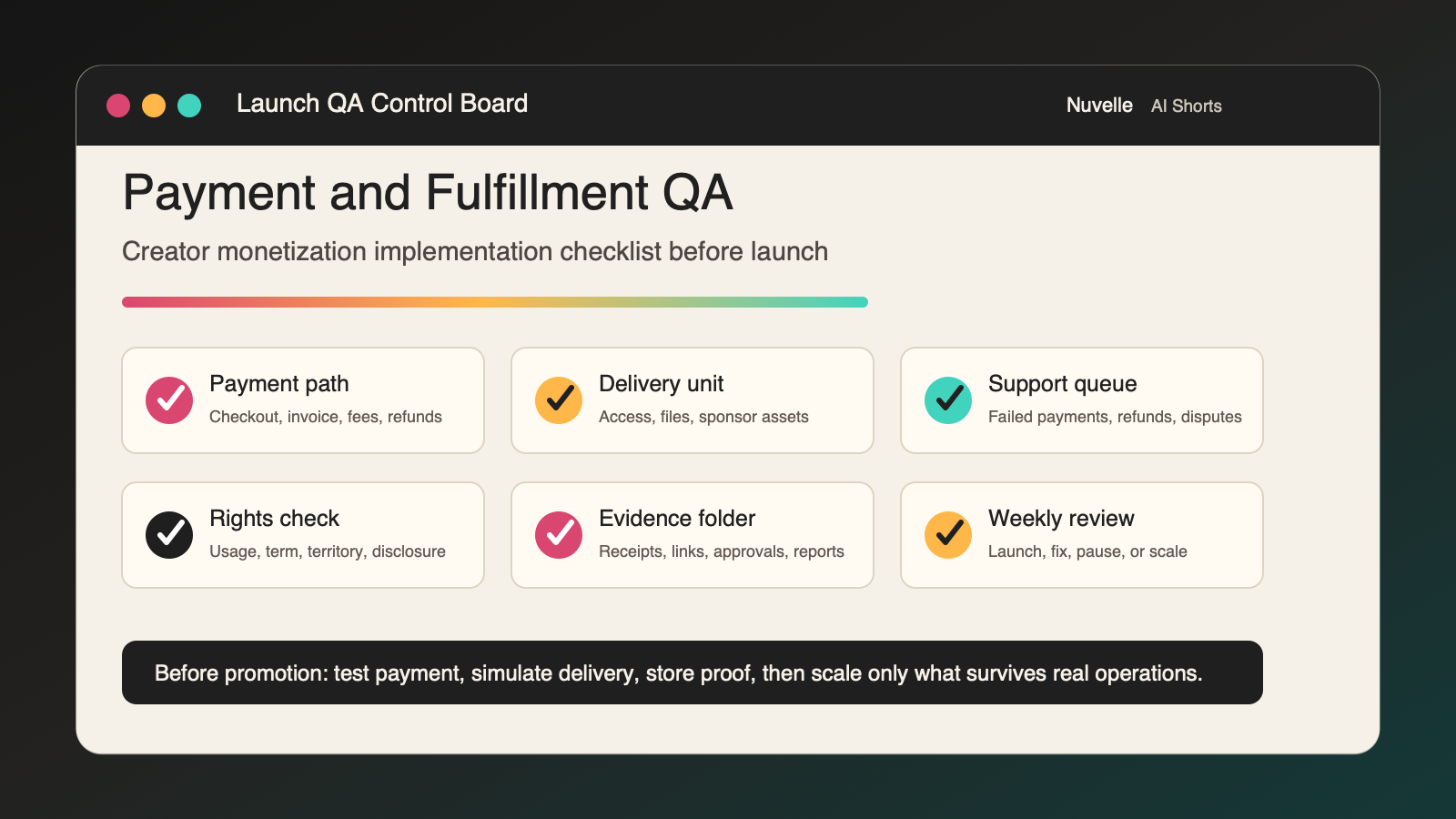
Creator Monetization: Implementation Checklist for Payment and Fulfillment QA Before Launch
A creator monetization: implementation checklist should answer one uncomfortable question before promotion begins: what exactly happens after someone pays?
Most monetization plans spend too much time choosing a revenue stream and too little time proving the operating path. A membership can have a good promise and still fail because access is manual. A sponsor campaign can look profitable and still lose margin because revision ownership is unclear. A digital product can sell well and still create support chaos because receipts, refunds, files, and customer records live in different places.
This guide is the launch-QA companion to Nuvelle's broader creator monetization implementation checklist. Use the canonical checklist to choose the offer and pass the seven launch gates. Use this article to test payment, fulfillment, support, disclosure, and evidence collection before the first serious campaign goes live.
The goal is not a complicated operations stack. The goal is a simple paid path that can survive real customers, real deadlines, and real reporting.
Important: This is an operating framework, not legal, tax, accounting, or platform-policy advice. Use qualified professionals and current official sources for decisions specific to your business, contracts, location, and publishing channels.
The Payment and Fulfillment QA Checklist at a Glance
This creator monetization: implementation checklist turns a launch plan into a testable operating path. It is meant to be used as a preflight gate, not as a strategy memo.
| QA area | Required proof before launch | Stop signal |
|---|---|---|
| Offer handoff | A buyer action creates the correct internal record | Purchases, inquiries, or sponsor approvals require manual interpretation |
| Payment path | Checkout, invoice, payout, refund, and fee handling are understood | Revenue cannot be reconciled to cash or payment status |
| Access or delivery | The buyer receives the promised asset, service, membership, report, or campaign output | Delivery depends on one person's memory |
| Support and exceptions | Refunds, failed payments, missing files, late approvals, and disputes have owners | The team improvises each exception |
| Rights and disclosure | Commercial use, sponsorship disclosure, and usage permissions are checked in context | The paid path can create unapproved asset use or unclear disclosure |
| Evidence folder | Every transaction, campaign, delivery, approval, and metric has a storage rule | Proof lives only in DMs, disappearing dashboards, or screenshots on a phone |
| Weekly review | The launch produces a keep, fix, pause, or scale decision | The team can see revenue but not operating cost or fulfillment burden |
Do not treat this as administrative cleanup. For a creator business, payment and fulfillment are part of the product. If they are unreliable, the offer is not launch-ready.
When to Use This Checklist
Use this creator monetization: implementation checklist after you have selected one primary revenue channel and before you announce a launch, send a sponsor invoice, open checkout, publish a paid CTA, or accept a licensing request. At this stage, the creator monetization: implementation checklist should prove the paid path with evidence, not just describe the offer.
It works for:
- Memberships and paid communities
- Digital products, templates, toolkits, and paid downloads
- Sponsorships and brand partnerships
- Affiliate campaigns and trackable recommendations
- Paid workshops, coaching, services, and audits
- Licensing, localized content packages, and creator IP deals
- Vertical-drama teams packaging sponsor-ready scenes, bonus access, or production assets
If you are still deciding what to sell, start with the 30-day creator monetization checklist template. If money is already coming in and the problem is reporting, use the creator monetization revenue tracking guide. This article sits between those two stages: it verifies the launch path before volume arrives.
Step 1: Map the Buyer Handoff
Every monetized offer needs a handoff from audience action to internal work. The handoff may begin with a checkout, invoice, sponsor approval, affiliate click, direct-message inquiry, booking form, licensing request, or platform purchase.
Write the path in one sentence:
When [buyer action] happens, [system or owner] creates [record], assigns [owner], triggers [delivery step], and stores [evidence].Examples:
- When a viewer buys the bonus-scene membership, the membership platform creates the customer record, grants access, tags the source campaign, and sends a confirmation email.
- When a sponsor approves the scope card, the campaign owner creates the project record, verifies disclosure language, schedules production, and stores the signed terms.
- When a buyer purchases a production template, checkout sends the file, records the transaction ID, and creates a support route for missing-access requests.
The handoff should create a visible record, not only a notification. A Slack message, email alert, or payment receipt is helpful, but it is not enough if nobody can see the delivery status later.
Handoff QA table
| Question | Required answer |
|---|---|
| What starts the paid workflow? | Checkout, invoice, form, signed agreement, platform event, or manual approval |
| What record is created? | Transaction, customer, campaign, order, delivery task, or opportunity |
| Who owns the record? | Named person or role |
| What source data is captured? | Content ID, campaign ID, UTM, referral code, sponsor, market, language, or declared source |
| What does the buyer receive immediately? | Receipt, access, confirmation, timeline, next step, or support route |
| What must happen manually? | If anything is manual, name the owner and deadline |
| Where is evidence stored? | Ledger, CRM, project folder, drive, platform export, or contract folder |
If the team cannot complete this table, the offer is not ready for a public CTA.
Step 2: Test the Payment Path With a Real Transaction
A creator monetization: implementation checklist is weak if it only verifies that a checkout page exists. Test the full money path.
Run at least one low-value internal transaction or controlled test order before launch. Confirm:
- Checkout or invoice link works on mobile
- Buyer confirmation is accurate
- Payment status is visible
- Platform fees are identifiable
- Refund process is understood
- Payout timing is documented
- Customer record connects to the offer and campaign
- Finance owner knows where records live
- Tax, accounting, and entity questions have a qualified review path
The IRS says business records should clearly show income and expenses, and its recordkeeping guidance describes supporting documents such as sales slips, invoices, receipts, deposit information, and purchase records. Build the paid path so those documents are easy to find later, not buried across personal email, platform dashboards, and chat threads.
For payment processors, separate the event from the cash. A sale, pending payout, balance transaction, refund, fee, dispute, and bank deposit may appear as different records. Stripe, for example, documents balance transactions as the ledger of funds moving through a Stripe balance, and also maintains separate documentation for refunds and disputes. Even if you use another provider, the operating principle is the same: the creator's ledger should connect the customer-facing transaction to the cash-facing event.
Payment QA table for a creator monetization: implementation checklist
| Test | Pass condition |
|---|---|
| Mobile checkout | Buyer can complete the transaction without broken layout or unclear copy |
| Receipt | Buyer receives the right offer name, amount, and next step |
| Internal record | Ledger or system receives transaction ID, offer ID, customer ID, and payment status |
| Fees | Platform and payment fees can be identified or estimated according to the provider's reports |
| Refund | Owner knows how a refund is requested, approved, recorded, and communicated |
| Failed payment | Buyer and internal owner receive useful instructions |
| Payout | Cash date or expected payout date is visible |
| Evidence | Receipt, invoice, checkout settings, and payout report have storage locations |
Do not promote the offer until at least one transaction can travel from payment to recordkeeping to delivery without confusion.
Step 3: Verify Delivery Before Promotion
Delivery is the part of monetization that buyers remember. It may be instant file access, community admission, a sponsor deliverable, a consultation, a usage license, a localized content package, or a private episode release. A creator monetization: implementation checklist is incomplete until that delivery unit has been tested from the buyer's point of view.
For each offer, define the delivery unit:
| Offer type | Delivery unit to test |
|---|---|
| Membership | Access level, member feed, billing state, cancellation path, renewal reminder |
| Digital product | File, template, update policy, download link, support channel |
| Sponsorship | Approved asset, live post, disclosure, tracking link, report, invoice |
| Affiliate | Correct link, landing page, disclosure, sub-ID, reporting export |
| Service | Intake form, schedule, scope, milestone, final deliverable, support window |
| Licensing | Asset bundle, rights schedule, territory, term, file delivery, renewal reminder |
| Vertical-drama bonus content | Episode access, cut version, captions, thumbnails, release notes, watch path |
Run a "first buyer" simulation:
- Create the exact buyer scenario.
- Trigger the payment or approval path.
- Time how long delivery takes.
- Check the buyer-facing message on a phone.
- Confirm the internal owner can see delivery status.
- Store evidence of the delivery.
- Record every manual step that occurred.
If delivery requires one person to remember a sequence, the launch is fragile. Turn the sequence into a checklist, template, automation, or assigned task before opening the offer to a larger audience.
For short-form and vertical-drama teams, delivery often includes release assets, captions, safe-area checks, localization files, thumbnails, and version records. The episode packaging workflow helps connect paid commitments to the actual release-ready asset package.
Step 4: Build the Exception Queue
A launch plan that assumes everything works is not an implementation plan. Every creator monetization system needs an exception queue.
Create a single queue for the exceptions this creator monetization: implementation checklist is designed to expose:
- Failed payment
- Duplicate payment
- Refund request
- Chargeback or dispute
- Missing download or access failure
- Sponsor late feedback
- Sponsor scope-change request
- Content takedown or correction
- Affiliate link error
- Licensing-rights question
- Customer support escalation
- Invoice overdue
- Rights-expiry reminder
Each exception needs five fields:
| Field | Why it matters |
|---|---|
| Exception type | Groups repeat problems |
| Related transaction, customer, campaign, or asset ID | Prevents support from becoming disconnected from revenue |
| Owner | Makes resolution accountable |
| Deadline | Prevents open-ended cleanup |
| Decision and evidence | Creates a useful learning record |
The exception queue is where operational reality shows up first. If half the first buyers need manual access help, the problem is not "support." It is a broken fulfillment path. If sponsors keep requesting unpriced cutdowns, the problem is not "feedback." It is a weak scope card.
Step 5: Connect Rights and Disclosure to the Paid Path
Revenue changes the risk profile of content. A post that is harmless as ordinary publishing may need clearer disclosure, stronger rights, or different approval when it becomes sponsored, licensed, localized, used in paid media, or sold as part of a product.
The FTC's social media disclosure guidance explains that material connections should be disclosed clearly and conspicuously, using language ordinary people can understand. It also warns creators not to rely only on platform disclosure tools when the relationship would still be unclear.
Turn that guidance into QA:
- Check disclosure in the exact format viewers will see.
- Confirm disclosure survives captions, cropping, cutdowns, and translated versions.
- Store the approved disclosure language.
- Preserve screenshots or live links after publication.
- Verify that affiliate links, gifted products, employment relationships, and sponsorships have the correct disclosure pattern.
YouTube also provides paid-promotion guidance and a declaration workflow for videos that include paid product placement, sponsorships, or endorsements. If YouTube is part of the launch, make the platform-specific declaration a required publishing step rather than a memory-based final check.
Rights QA belongs in the same path. Before a paid offer launches, confirm:
- Source files are cleared for the paid use.
- Music, voice, likeness, performance, artwork, captions, and translations have documented permissions.
- Usage rights, territory, term, edit rights, and paid-media rights are explicit.
- Sponsor exclusivity does not conflict with existing commitments.
- Renewal and expiration reminders have owners.
- Licenses and agreements are stored next to the commercial record.
For sponsor-heavy teams, the sponsor campaign operations checklist expands this into campaign fit, scope, rights, approvals, publication, evidence, settlement, and renewal.
Step 6: Create a Buyer-Facing Confirmation System
The buyer should never wonder what happened after payment.
Create one confirmation pattern for each offer:
| Offer | Confirmation must include |
|---|---|
| Membership | Access link, billing cadence, cancellation route, support contact |
| Digital product | Download link, file format, update policy, support contact |
| Sponsor campaign | Scope summary, next milestone, asset due date, approval owner |
| Service | Intake link, schedule, prep instructions, reschedule policy |
| License | Asset delivery method, rights summary, term, permitted uses, support owner |
| Affiliate campaign | Clear disclosure and expectation; do not imply unsupported outcomes |
The confirmation does not need to be long. It needs to reduce uncertainty and prevent avoidable support.
Use this format:
Thanks for [action].

You now have [access/deliverable/status].
Next, [specific next step].
Expected timing: [date or window].
Need help? Contact [route].
Reference: [order/campaign/license ID].
Test it on mobile. If the confirmation is hard to read, contains the wrong offer name, lacks a support path, or omits timing, fix it before launch.
Step 7: Build the Evidence Folder Before the Campaign Starts
Evidence collection is easier before the launch than after people are busy.
Create a folder or workspace with these sections:
| Folder | What belongs there |
|---|---|
01-offer | Offer brief, pricing, scope, CTA, sales page screenshots |
02-payment | Checkout settings, invoices, receipts, fee reports, payout reports |
03-rights | Licenses, releases, usage permissions, rights register, expiry reminders |
04-disclosure | Approved disclosure copy, platform settings, screenshots |
05-delivery | Delivered files, access logs, sponsor assets, reports, final links |
06-support | Refunds, failed payments, disputes, support tickets, resolutions |
07-measurement | Analytics exports, campaign reports, weekly dashboard, decision memo |
Every launch should produce an evidence trail that another operator can inspect. This matters for renewals, refunds, sponsor proof, affiliate reporting, tax records, rights disputes, and future content decisions.
If the current launch uses paid traffic, influencer promotion, or platform-specific CTAs, keep source IDs consistent. Google Analytics documents manual campaign parameters such as utm_source, utm_medium, and utm_campaign, and notes that parameter values are case-sensitive. Use a controlled naming dictionary so one campaign does not fragment into several labels.
Step 8: Run the 24-Hour Launch Rehearsal
Run a launch rehearsal at least one day before the real promotion.
Use this creator monetization: implementation checklist as the rehearsal script:
- Open the offer page or sponsor scope card on mobile.
- Click the CTA from the same type of content the audience will see.
- Complete a controlled checkout, invoice approval, or inquiry.
- Confirm the buyer-facing message.
- Confirm the internal record.
- Trigger delivery or next-step assignment.
- Test support contact.
- Process a refund or exception in a controlled way if appropriate.
- Store evidence.
- Hold a 15-minute launch-readiness decision.
The decision has only three outcomes:
| Decision | Meaning |
|---|---|
| Launch | Payment, delivery, support, rights, disclosure, and evidence paths are ready |
| Fix and retest | A specific blocker exists and has an owner |
| Do not launch | The offer creates unacceptable operational, financial, legal, rights, or trust risk |
Do not change the criteria after the rehearsal to make the launch feel ready.
Step 9: Review the First 10 Buyer or Partner Actions
The first ten real actions teach more than a dashboard average.
Review each one:
| Review question | What to inspect |
|---|---|
| Did the right buyer take action? | Source, content, CTA, buyer fit |
| Did payment or approval work? | Checkout, invoice, status, fee, payout expectation |
| Did delivery happen on time? | Access, file, milestone, sponsor asset, support burden |
| Did rights and disclosure hold up? | Disclosure placement, platform setting, permission record |
| Did the evidence trail work? | Receipts, screenshots, reports, links, folder structure |
| Was contribution acceptable? | Direct costs, hours, refunds, support, revisions |
| What should change before more promotion? | Copy, offer, price, CTA, fulfillment, scope, tracking |
This is where launch QA becomes revenue learning. If the first ten buyers convert but consume too much support time, the problem is fulfillment. If sponsors accept the concept but expand usage rights late, the problem is scope. If people click but do not buy, the problem may be offer clarity, buyer fit, pricing, or trust.
Copyable Final Launch Gate
Use this final gate before turning on a meaningful campaign.
| Gate | Pass condition | Owner | Evidence |
|---|---|---|---|
| Offer | One buyer, one promise, one paid action, one delivery unit | ||
| CTA | Mobile CTA leads to the correct destination | ||
| Payment | Test transaction or invoice path works | ||
| Record | Transaction, customer, campaign, or sponsor record is created | ||
| Delivery | Buyer receives the promised next step or asset | ||
| Support | Refund, failed payment, missing access, and dispute routes are assigned | ||
| Rights | Commercial use permissions are documented | ||
| Disclosure | Required disclosure works in the actual publishing format | ||
| Evidence | Folder structure exists and first evidence has been stored | ||
| Measurement | Revenue, contribution, source, and fulfillment burden can be reviewed weekly | ||
| Decision | Launch, fix and retest, or do not launch |
This table is intentionally operational. A creator monetization plan is only ready when someone can inspect the evidence, not when the strategy sounds persuasive. Keep this creator monetization: implementation checklist attached to the launch record so future campaigns can reuse the same gate.
Common Failure Patterns
The offer sells, but delivery is too manual
Pause promotion and document every manual step. Keep the offer live only if support stays within the team's stated capacity. Otherwise, cap sales, add automation, reduce scope, or change the delivery promise.
Sponsor approvals expand the scope
Return to the scope card. Separate included deliverables from additional requests. Price or reject new usage rights, cutdowns, paid-media permissions, raw files, and exclusivity. Do not let the approval process rewrite the deal.
Revenue appears in the platform but not in cash
Label the amount correctly. Is it booked revenue, estimated revenue, pending payout, cash collected, or contribution? Use the creator revenue tracking workflow to reconcile platform reports to cash and delivery obligations.
Affiliate or sponsor disclosure is added too late
Move disclosure into production QA. Check it in the actual viewer experience, not only in a caption draft or platform setting.
The team cannot explain what worked
Standardize campaign IDs, content IDs, source fields, and evidence storage. If a launch cannot teach the next launch, it is under-instrumented.
Nuvelle's Take: Monetization Needs a Story and an Operating System
Nuvelle is an AI-native vertical drama platform, not a creator tool. But the same operating lesson applies to short-form entertainment teams, creator businesses, and sponsor-supported content: attention is only useful when the next action is clear and the fulfillment path is reliable.
For vertical-drama teams, that can mean sponsor integrations, bonus content, localized episode packages, licensing, affiliate partnerships, or premium audience access. Each path needs a story promise and an operating system. The story creates demand. The operating system protects trust, rights, delivery, and margin.
Use this creator monetization: implementation checklist before the campaign, not after the first avoidable support problem. Test the payment path. Simulate delivery. Store evidence. Verify rights and disclosure. Review the first ten actions. Then scale the offer that survives real operations.
Sources Used
- Nuvelle knowledge base: Product Overview, Product Features, Brand Guidelines, and marketing strategy documents.
- U.S. Federal Trade Commission: Disclosures 101 for Social Media Influencers.
- U.S. Internal Revenue Service: Recordkeeping and Self-Employed Individuals Tax Center.
- Google Analytics Help: Campaign URL Builder and custom campaign parameters.
- YouTube Help: Paid product placements, sponsorships, and endorsements.
- Stripe Docs: Balance transaction types, Refunds, and Disputes.