AI Trailer Production: Comparison and Alternatives by Campaign Constraint
AI trailer production: comparison and alternatives is a practical buying question, not a tool-list question. A trailer team is rarely choosing between "AI" and "not AI." It is choosing how much of the trailer should come from existing footage, generative video, motion design, a live-action pickup, a freelance editor, an agency, or an in-house workflow.
The right answer depends on the campaign constraint. Do you need story truth? Many localized versions? Fast hook tests? A trailer for an unfinished concept? A launch asset that legal and brand teams can approve? Those are different production problems. That is why AI trailer production: comparison and alternatives should be handled as an operating decision before it becomes a vendor search.
This guide gives you a constraint-first way to compare AI trailer production alternatives. Use it before buying software, booking an agency, or asking one prompt to carry a full trailer.
The Short Answer
If the campaign has approved footage, start with a source-footage re-cut. If the story is not proven, start with an animatic. If the visual world is missing, use reference-driven generative shots only for named gaps. If one performance moment is blocking the cut, shoot a micro-pickup. If the trailer must ship across markets, build a hybrid versioning workflow.
| Campaign constraint | Best first alternative | Why it usually wins |
|---|---|---|
| Finished episode or product footage exists | Source-footage re-cut | Highest story truth, continuity, and review speed |
| The concept is not yet clear | Storyboard or animatic | Lets the team fix structure before polishing shots |
| Strong posters or key art exist but little video exists | Motion-design teaser | Keeps approved visuals stable while adding pace and sound |
| The trailer needs visuals no camera captured | Reference-driven generative video | Expands scale when references and shot specs are controlled |
| One human reaction or product proof is missing | Live-action micro-shoot | Captures the exact evidence the audience must trust |
| Many languages, ratios, or hook tests are required | Hybrid production system | Separates stable story assets from flexible versioning layers |
| No internal operator can own the edit | Freelancer or agency | Adds accountable execution, but only if the brief is specific |
For most story-led mobile campaigns, the safest answer is not a one-click AI trailer maker. It is a hybrid workflow: protect the story-critical proof with controlled assets, then use AI, motion design, and versioning where flexibility actually improves the campaign. In other words, AI trailer production: comparison and alternatives should rank approval quality ahead of novelty.
Start With the Trailer's Job
Before you compare AI trailer production alternatives, write the trailer's job in one sentence:
The trailer is approved when it makes [target viewer] want to [next action]
because it clearly shows [protagonist or product], [conflict or transformation],
[mandatory proof], and [open loop].
For a vertical drama, the proof might be a humiliation, a secret identity, a forbidden attraction, or a reversal. For a software product, it might be a real workflow, a before-and-after outcome, or a product behavior. For a film, it might be tone, character, world, and the unresolved question.
If a workflow cannot reliably produce that proof, it should not win the comparison even if the demo looks cinematic.
AI Trailer Production: Comparison and Alternatives Decision Tree
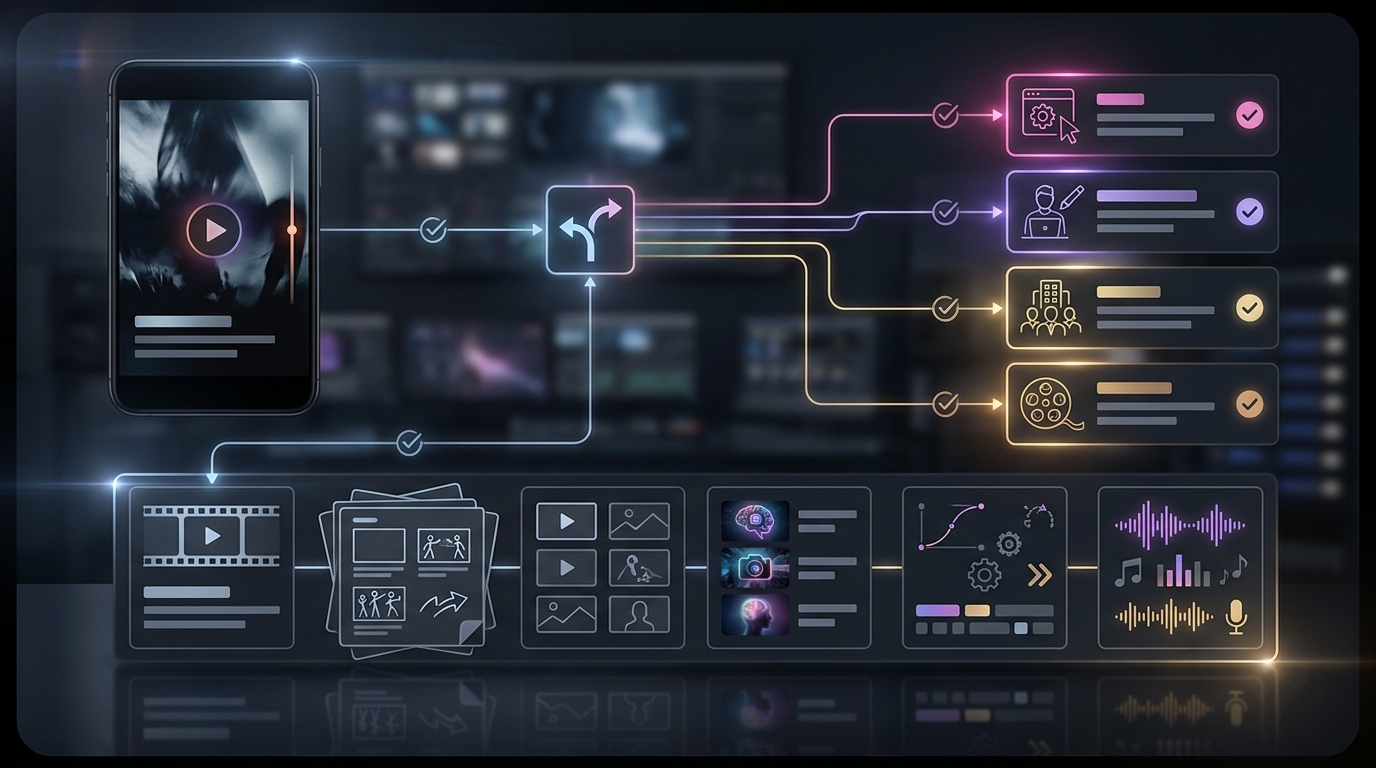
Use this decision tree before choosing software, a freelancer, an agency, or an internal build. It turns AI trailer production: comparison and alternatives into six sequential questions a producer can answer with real campaign assets.
1. Do you have approved moving footage?
If yes, begin with a source-footage re-cut. Existing footage gives the editor real faces, locations, performances, dialogue, and continuity. AI can still help with transcripts, scene tagging, cleanup, captions, reframing, versioning, and rough selects, but the trailer's truth comes from the approved asset library.
If no, move to the next question.
2. Is the trailer story already proven?
If no, build a storyboard or animatic. An animatic can combine rough frames, temporary narration, music, dialogue, timing, and title cards. The point is not final polish. The point is to test whether a viewer understands the protagonist, conflict, consequence, and next question.
If yes, move to the next question.
3. Do you have strong still assets?
If yes, consider a motion-design teaser. Key art, posters, character portraits, product screenshots, interface captures, and typography can become a polished teaser through parallax, compositing, lighting, pacing, sound, and transitions.
This is often a better AI trailer production alternative than generating new characters from scratch, especially when brand approval or character consistency matters.
4. Is one exact proof moment missing?
If yes, consider a live-action micro-shoot. Do not let the pickup expand into a full production. Lock the trailer edit first, then shoot only the frames that already have a defined purpose: a reaction, handoff, reveal, object close-up, product movement, or direct-to-camera line.
5. Do you need images that do not exist?
If yes, use reference-driven generative video as a shot build, not a full-trailer replacement. Current tools increasingly support text prompts, image prompts, references, timeline workflows, or world-consistency controls. For example, LTX Studio describes an AI video production studio with storyboard and frame-based workflows, Runway presents Gen-4 around consistent characters, locations, and objects, Adobe Firefly includes text-to-video and image-to-video generation, and Google DeepMind positions Veo as a video generation model with cinematic output and audio capabilities.
Those capabilities are useful, but they do not remove editorial work. A generated shot still needs selection, trimming, continuity review, sound, captions, rights documentation, and final QA.
6. Do you need many deliverables?
If yes, choose a hybrid production system. A campaign that needs a master trailer, 9:16 social cutdowns, 1:1 variants, captions, localized voice, metadata, and hook tests should not rebuild every version from scratch. It needs stable story assets plus flexible versioning layers.
Compare Production Methods by What They Protect
The cleanest AI trailer production: comparison and alternatives process asks what each method protects best. The comparison becomes much clearer when each alternative is judged by the risk it removes, not only by the shot it can generate.
| Alternative | Protects best | Weakest point | Best recovery move |
|---|---|---|---|
| Source-footage re-cut | Story truth and continuity | Cannot show what was never captured | Add one generated insert, pickup, or motion bridge |
| Storyboard or animatic | Structure and comprehension | Not always publish-ready | Promote only approved beats into final production |
| Motion-design teaser | Brand control and visual consistency | Limited performance proof | Insert one moving proof shot |
| Reference-driven generative video | Visual range and impossible shots | Sequence continuity | Use it for short, low-dialogue, high-impact beats |
| Live-action micro-shoot | Human proof and physical interaction | Scheduling and permissions | Shoot only locked editorial gaps |
| Synthetic presenter or voice-led cut | Localization and explanatory structure | Can feel generic for drama | Pair with source footage or story proof |
| Freelancer | One accountable maker | Capacity bottleneck | Define file handoff and backup specialist |
| Agency | Coordinated delivery under complexity | Overbuying for simple cuts | Use only when launch risk justifies coordination |
| In-house hybrid | Reusable learning and fast iteration | Fixed overhead | Build after repeatable trailer volume is proven |
The Constraint Scorecard
Score every realistic option from 1 to 5. Do not fill this out after the team has already fallen in love with a demo reel. For AI trailer production: comparison and alternatives work, the scorecard should be completed before a software subscription, freelancer brief, or agency estimate is approved.
| Criterion | Weight | What a 5 means |
|---|---|---|
| Story truth | 5 | The trailer accurately promises what the viewer can watch, use, or buy |
| Continuity | 5 | Characters, products, places, and visual rules stay stable across the cut |
| Opening-variant speed | 4 | The team can test hooks without rebuilding the whole trailer |
| Revision isolation | 4 | One note can be fixed without breaking unrelated shots |
| Delivery fit | 4 | The workflow supports required ratios, runtimes, captions, exports, and languages |
| Rights readiness | 5 | Source footage, likeness, voice, music, fonts, prompts, and outputs can be documented |
| Finishing burden | 4 | The post-generation cleanup, edit, sound, and QA load is realistic |
| Recovery path | 4 | The team knows what happens if a hero shot fails |
| Team fit | 3 | The actual team can operate and review the workflow |
| Learning reuse | 3 | Results can improve the next campaign, not only this asset |
Formula:
Weighted score = rating x weight
Total possible score = 205
Decision score = weighted total / 205
Mark three criteria as non-negotiable before scoring. For a short-drama app campaign, story truth, continuity, and hook-variant speed may matter most. For a product launch, rights readiness, product truth, and delivery fit may outrank visual range. For a pitch teaser, structure and speed may matter more than final polish.
Compare Tools Without Letting Tools Define the Trailer
AI video tools are not interchangeable, because they sit at different points in the production chain.
LTX Studio is positioned as a creative studio for AI video production with storyboard, character, frame, and visual workflow language. Runway's Gen-4 messaging emphasizes world consistency across characters, locations, and objects. Adobe Firefly's AI video generator page highlights text-to-video and image-to-video creation inside Adobe's creative ecosystem. Google DeepMind's Veo page describes a video generation model built for cinematic video and audio. CapCut is more delivery-oriented for social editing, templates, captions, and practical creator workflows.
This does not mean one product is universally better. It means the comparison question should be narrower:
- Do we need story planning, shot generation, editing, or social versioning?
- Do we need still-to-video motion, new shots, or only hook variants?
- Who owns continuity review after generation?
- Where do music, sound design, captions, and localization happen?
- What rights and provenance evidence will be stored with the project?
An AI trailer maker can create useful raw material. It does not automatically create an approved trailer.
Rights and Provenance Should Be Part of the Comparison
AI trailer production: comparison and alternatives should include rights review from the start. This is not only a legal department problem. It changes which workflow is practical.
At minimum, keep a rights manifest for:
- Source footage and still images
- Talent, likeness, and voice permissions
- Music, sound effects, fonts, and templates
- Stock footage and third-party references
- Generated prompts, reference images, and outputs
- Editing project files and handoff rights
- Localization scripts, captions, dubbing, and synthetic voice usage
The U.S. Copyright Office's AI resources emphasize copyrightability and human authorship questions around AI-assisted works. Content Credentials and C2PA-related provenance systems focus on attaching verifiable metadata to digital media. You do not need to turn a trailer team into a policy team, but you do need a repeatable evidence folder before the campaign scales.
For practical production, use this rule:
If the team cannot document where a shot, voice, image, font, or music cue came from,
do not make that asset a campaign-critical proof point.
When to Use a Freelancer, Agency, or In-House Team
Method choice and sourcing choice are separate. A freelancer can make a source-footage re-cut. An agency can run a hybrid production. An in-house editor can use generative video. Software can support any of them.
Use this buying model comparison after the production method is clear.
| Buying model | Best when | What your team still owns |
|---|---|---|
| Software-only | You have a capable operator and time to test | Brief, story decisions, selection, rights, edit, sound, QA |
| Freelancer | You need one accountable maker for a bounded asset | Source package, feedback consolidation, approvals, handoff |
| Agency | The launch is complex, multi-stakeholder, or deadline-sensitive | Executive decisions, access to assets, approval speed |
| In-house hybrid | Trailer production repeats weekly or monthly | Process ownership, templates, vendor bench, learning system |
If you need a deeper sourcing comparison, use Nuvelle's guide to AI trailer production software vs freelancer vs agency vs in-house. If you are still comparing production methods, use the AI trailer production comparison scorecard. If you want non-one-click options first, start with AI trailer production alternatives.
Run a 48-Hour Bake-Off Before You Commit
Do not compare AI trailer production alternatives using vendor demo reels. Compare them using one real campaign brief. This keeps AI trailer production: comparison and alternatives grounded in the work your campaign actually needs to ship.
Bake-off brief
Trailer objective:
Audience:
Next action:
Mandatory story or product proof:
Available source assets:
Missing shots:
Required runtimes:
Required aspect ratios:
Required languages:
Rights restrictions:
Review owners:
Deadline:
Failure fallback:
Required outputs
Ask each option to produce the same limited package:
- One 15- to 30-second rough cut or animatic.
- One alternate first three seconds.
- One versioning plan for ratios, captions, and languages.
- One rights manifest draft.
- One recovery note explaining what happens if the strongest shot fails.
- One editable handoff description.
Decision rule
Choose the option that creates the clearest approved path, not the most impressive single shot.
If two options are close, prefer the one with better revision isolation and rights documentation. Trailer work rarely fails because one frame is not beautiful enough. It fails because the team cannot revise, prove, localize, or ship the asset under real campaign conditions.
A Practical Hybrid Workflow
Here is a simple hybrid workflow for campaign teams that need both speed and control.
- Write the promise. Define the viewer, action, proof, and open loop.
- Inventory assets. Separate approved footage, approved stills, editable design, restricted assets, and missing moments.
- Choose protected beats. Mark the shots that must remain truthful and recognizable.
- Assign production methods. Re-cut, animatic, motion design, generated insert, pickup, presenter, or localization.
- Build a rough cut. Test comprehension before polishing visual style.
- Create hook variants. Change the opening, first title card, or first proof shot while keeping the core promise stable.
- Run rights and provenance review. Store source files, permissions, prompts, generated outputs, music, voice, and handoff notes.
- Finish for delivery. Add sound, captions, safe-area checks, exports, localized versions, thumbnails, and QA.
- Connect performance back to the brief. Record which promise, hook, format, and language produced the strongest continuation behavior.
For vertical drama teams, connect this workflow to a broader vertical drama marketing measurement playbook. A trailer is only useful if the team can learn which story promise moved viewers into the next episode or app action.
Common Mistakes
Mistake 1: Comparing render speed instead of approval speed
Fast generation is useful, but the production metric that matters is approved deliverable speed. Include edit time, cleanup, sound, captions, exports, rights review, and stakeholder notes.
Mistake 2: Using generative video for performance-heavy scenes
Romance, confrontation, comedy, and product proof often depend on tiny performance details. If the proof moment must be exact, protect it with source footage, a pickup, or a tightly controlled hybrid method.
Mistake 3: Treating localization as an afterthought
If the campaign needs multiple markets, plan language versions early. Captions, voice, title cards, safe areas, pacing, and metadata can change the edit. Localization is not only translation.
Mistake 4: Forgetting the recovery path
Every workflow needs a fallback. If the generated hero shot fails, can you use a source-footage close-up? If the agency timeline slips, can a freelancer finish cutdowns? If the micro-shoot is delayed, can motion design bridge the gap?
Mistake 5: Letting one tool own the whole trailer
One tool can be excellent at one stage and weak at another. Separate planning, generation, editing, audio, captions, delivery, and measurement.
FAQ
What is the best AI trailer production alternative?
The best AI trailer production alternative depends on your constraint. Use a source-footage re-cut when approved footage exists, an animatic when the story is unproven, motion design when still assets are strongest, generative video when missing visuals are specific, and hybrid production when the campaign needs control plus scale.
Is a one-click AI trailer maker enough?
Usually not for a campaign-ready trailer. A one-click tool can help with concepts or rough material, but campaign trailers still need story selection, editing, sound, captions, rights review, versioning, and QA.
Should I hire a freelancer or agency?
Hire a freelancer when the scope is bounded and one accountable maker can complete the trailer. Hire an agency when launch risk, stakeholder complexity, localization, or delivery volume justifies coordination. Build in-house when trailer demand repeats and learning compounds.
How should I compare AI trailer tools?
Compare the tool against the job it must do: story planning, generated shots, still-to-video, editing, social exports, captions, localization, or collaboration. Do not compare tools only by sample quality.
What should be in an AI trailer rights manifest?
Track source footage, stills, likeness permissions, voice, music, fonts, templates, stock assets, generated prompts, reference images, outputs, project files, localization scripts, and final exports.
Final Recommendation
Use AI trailer production: comparison and alternatives as an operating decision. Start with the campaign constraint, score the methods, run a small bake-off, and choose the workflow that can be approved, revised, documented, localized, and measured.
For AI-native vertical drama teams like Nuvelle, the advantage is not merely producing one beautiful trailer. The advantage is building a repeatable system that learns which story promises, cliffhangers, characters, and localized hooks make viewers want the next episode.