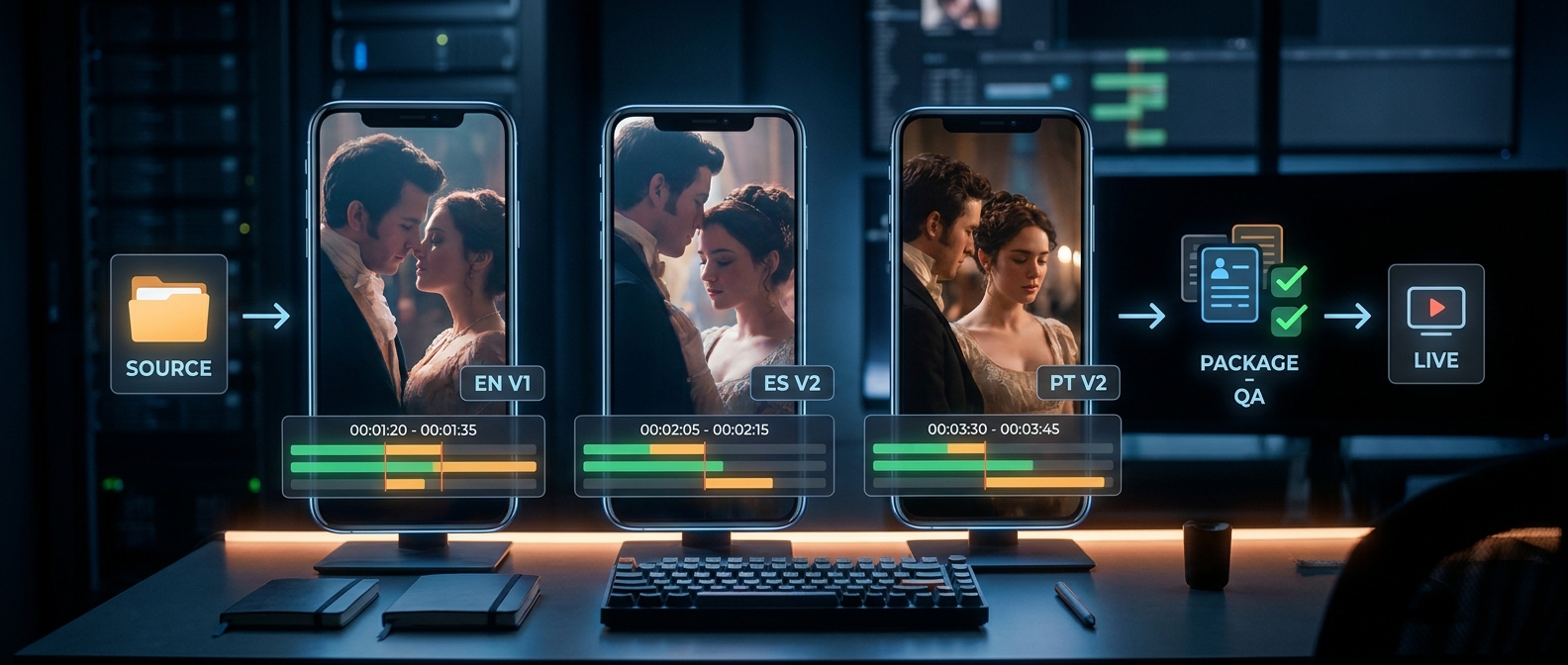
Short drama localization: beginner guide advice usually focuses on the visible work: translation, subtitles, dubbing, thumbnails, app metadata, and QA. Those pieces matter. But beginner teams often lose the first market test for a quieter reason: nobody can prove which version is live, which file was approved, which subtitle track matches the video, or which localized package was used in the launch campaign.
That is a version-control problem.
For vertical short drama, localization moves fast because the format moves fast. A one-minute episode can have a source video, subtitle file, dub mix, trailer caption, poster line, localized title, app route, ad hook, and analytics tag. If those assets drift, the test becomes noisy. A weak launch might look like a story problem when the real issue was an old subtitle export, the wrong thumbnail, a broken route, or a dub mix that did not match the final cut.
This short drama localization: beginner guide gives producers, editors, localization leads, growth teams, and publishers a practical version-control system for the first market launch. Use this short drama localization: beginner guide after you have a story promise and adaptation brief, but before you send files to translators, dub vendors, subtitle editors, local reviewers, or campaign managers.
If you need the broader first-market sequence, start with Nuvelle's short drama localization 30-day rollout plan. If you need the story brief first, use the short drama localization adaptation brief alongside this guide.
Why Version Control Belongs in a Short Drama Localization: Beginner Guide
Short drama is not localized as one file. It is localized as a viewer journey.
A viewer may see a localized ad, tap into a series page, read the title, watch episode one with subtitles or dubbing, hit a cliffhanger, and decide whether to continue. Each step depends on a different asset. If even one of those assets is outdated, the launch signal gets muddy.
Beginner teams usually feel the problem in small ways:
- The subtitle editor works from episode 1 v3, but the publisher uploads episode 1 v2.
- The local reviewer approves the Spanish title, but the growth team tests an older ad hook.
- The dub vendor records from a script that changed after picture lock.
- The app route has localized episode copy, but the payment or next-episode screen switches back to the source language.
- The campaign report says a version failed, but nobody knows which package actually ran.
The point of this short drama localization: beginner guide is not to turn a small team into a giant studio. The point is to keep every localized file attached to a clear launch decision, so this short drama localization: beginner guide stays useful even when your team is moving quickly.
The Beginner Rule: Control the Package, Not Just the File
Do not track only the video file. Track the release package.
A release package is the smallest set of assets that a viewer experiences together. For a first-market short drama test, that usually includes:
| Package Layer | Example Assets | Owner |
|---|---|---|
| Source master | Final vertical video, source script, timecodes, character notes | Producer or editor |
| Language layer | Adapted script, glossary, subtitle file, dub script, voice notes | Localization lead |
| Viewing layer | Burned-in caption test, audio mix, on-screen text, episode card | Editor or post lead |
| Discovery layer | Localized title, synopsis, thumbnail, trailer captions, ad hooks | Growth or publishing lead |
| Route layer | Series page, episode route, app listing copy, unlock path, support copy | Publisher or product owner |
| Measurement layer | Campaign ID, asset ID, locale, version, event tags, decision notes | Growth analyst |
This table is the core operating idea. A localized episode is not ready because one subtitle file looks good. It is ready when the whole package is aligned, approved, and traceable.
Step 1: Freeze the Source Before Localization Starts
Short drama localization: beginner guide workflows should start with source lock. In this short drama localization: beginner guide, source lock means the team agrees that the files used for localization will not silently change.
At minimum, freeze:
- Final or approved proxy video
- Source script with speaker names
- Dialogue list with timecodes
- Character and relationship notes
- Reveal map for hidden identity, betrayal, reversal, or cliffhanger beats
- On-screen text inventory
- Source title, synopsis, thumbnail, and trailer copy
- Music, voice, image, and usage-rights notes
Write the lock in plain language:
> Episode 1 source master is locked for Spanish pilot v1. Any story, timing, title, subtitle, dub, or route change after this point requires a new package version.
That sentence prevents silent replacement. If the editor trims three seconds from the opening humiliation scene, that might affect subtitle timing, dub sync, trailer captions, and the cliffhanger cut. The change may be correct, but it must become a new version.
Step 2: Use a Naming Convention Humans Can Read
File naming does not need to be clever. It needs to answer five questions:
- Which series is this?
- Which episode or package is this?
- Which market and language is this?
- Which asset type is this?
- Which version is this?
Use this pattern:
series-episode-market-language-asset-version-status.extExample:
hidden-heiress-ep01-mx-es-subtitles-v02-approved.vtt
hidden-heiress-ep01-mx-es-dubmix-v01-review.wav
hidden-heiress-ep01-mx-es-thumbnail-v03-approved.png
hidden-heiress-ep01-mx-es-package-v02-live.json
Keep the fields boring and consistent:
| Field | Use | Example |
|---|---|---|
series | Short readable series slug | hidden-heiress |
episode | Episode or package scope | ep01, ep01-03, ad-ep01 |
market | Country or market code | mx, br, us |
language | Language variant | es, pt-br, en |
asset | What the file is | subtitles, dubmix, thumbnail, synopsis |
version | Sequential version number | v01, v02, v03 |
status | Workflow state | draft, review, approved, live, replaced |
Use lowercase letters, numbers, and hyphens. Avoid spaces, dates written in multiple formats, initials that only one person understands, and filenames like final_final_real_final.vtt.
Step 3: Create a Localization Version Ledger
The version ledger is the working asset that makes this short drama localization: beginner guide practical. It can live in a spreadsheet, project tracker, CMS note, or localization management system. The format matters less than the discipline: every asset version must have an owner, status, and launch relationship.
Copy this table:
| Field | What to Record | Example |
|---|---|---|
| Package ID | One ID for the full viewer journey | hidden-heiress-ep01-mx-es-package-v02 |
| Series and episode scope | What the package covers | Hidden Heiress, episode 1 |
| Market and language | Target locale | Mexico, Spanish |
| Source master | Locked source video version | ep01-source-v04 |
| Script version | Adapted script used | script-mx-es-v02-approved |
| Subtitle version | Timed text file | subtitles-v02-approved |
| Dub or voice version | Audio file if used | dubmix-v01-review |
| Thumbnail version | Localized thumbnail or poster | thumbnail-v03-approved |
| Title and synopsis version | Metadata copy version | metadata-v02-approved |
| Route version | App or web destination | route-v01-live |
| Campaign IDs | Ads or social assets using this package | mx-test-c01, mx-test-c02 |
| QA owner | Person who approved mobile viewing | local-reviewer + post lead |
| Launch status | Draft, review, approved, live, replaced | live |
| Decision note | What this version is meant to prove | Test subtitle package before dubbing spend |
The ledger gives every team the same answer to the same question: what did we actually ship?
Step 4: Separate Draft, Review, Approved, Live, and Replaced
A beginner team should use five statuses and no more.
| Status | Meaning | Who Can Move It Forward |
|---|---|---|
| Draft | Work is still changing | Asset owner |
| Review | Ready for language, story, mobile, or growth review | Localization lead |
| Approved | Accepted for the release package | Assigned approver |
| Live | Published or used in campaign traffic | Publisher or growth owner |
| Replaced | No longer active, preserved for learning | Package owner |
Do not let approved and live mean the same thing. A subtitle file can be approved but not yet live. A thumbnail can be live in one campaign and replaced in another. If the team collapses these statuses, it becomes hard to connect performance data back to the exact package.
This matters most when a first market test underperforms. Before deciding that the story, trope, or market failed, check whether the version ledger shows a clean package. A failed test with mismatched assets is not a reliable market signal.
Step 5: Track Subtitles and Dubbing as Different Version Families
Subtitles, dubbing, voice-over, and hybrid localization create different risks. Track them separately.
For subtitles, record:
- Timed text format, such as WebVTT or platform-specific caption file
- Source video version used for timing
- Reading-speed pass
- Line-break pass
- On-screen text collision pass
- Phone playback approval
The W3C WebVTT specification is a useful technical reference for cue-based text tracks, but a valid cue file is only the baseline. A subtitle track can be valid and still unreadable on a phone if lines are too dense or cover a key reaction shot.
For dubbing, record:
- Dub script version
- Casting or voice direction notes
- Pronunciation list
- Pickup version
- Final mix version
- Sync and emotional-performance approval
For hybrid packages, record which layer is used where. A team might test subtitled ads and dubbed episodes, or dubbed trailers and subtitled full episodes. That is fine, but the viewer journey must be documented so performance is not misread.
If the delivery format is still unresolved, use Nuvelle's short drama localization subtitles vs dubbing guide before committing a package version.
Step 6: Version the Discovery Assets With the Episode
Short drama localization: beginner guide execution should include the assets around the episode, not only the episode itself. This is where a short drama localization: beginner guide has to behave like a launch guide, not a translation glossary.
Version these assets with the same package ID:
- Localized series title
- Episode title or number format
- One-sentence hook
- Short synopsis
- Long synopsis
- Thumbnail or poster copy
- Trailer captions
- End card and call to action
- Store listing or app route copy
- Push notification or daily-drop copy when used
Apple documents localized app information in App Store Connect. Even when your first pilot is only a blog, web route, or paid-social path, the same principle applies: the metadata should match the localized story promise.
Do not approve a localized episode while leaving the discovery layer untracked. If the ad hook says revenge, the title says sweet romance, and the episode opens with hidden identity, the viewer may not know what emotional contract she accepted.
Step 7: Add Mobile QA Evidence to the Version Record
Mobile QA should produce evidence, not just comments.
For each package version, store:
| QA Item | Evidence to Attach |
|---|---|
| Playback route | URL, app screen, or build location |
| Device check | Phone models or viewport sizes used |
| Subtitle readability | Pass, revise, or block note |
| Face and clue coverage | Screenshots or timestamp notes |
| Dub sync | Timestamp notes for late or flat lines |
| On-screen text | List of translated messages, signs, documents, and UI |
| Route language | Confirmation that next-episode, unlock, account, and support copy stay in language |
| Analytics events | View start, completion, next-episode start, install, unlock, or paid action tags |
The short drama localization launch checklist is the release gate. The version ledger is the evidence trail that shows which version passed it.
Step 8: Connect Versions to Campaign Learning
The final reason to use version control is learning. A beginner localization pilot should answer a business question, not just ship a language version.
Write the question in the ledger:
- Does a subtitled Mexican Spanish package create enough episode-two starts to justify dubbing?
- Does localized metadata improve trailer-to-episode continuation?
- Does a revenge-positioned thumbnail outperform a romance-positioned thumbnail for the same episode?
- Does the localized package produce unlock intent after the first cliffhanger?
Then connect the package version to campaign IDs and analytics tags.
| Learning Question | Version Setup | Decision |
|---|---|---|
| Test subtitles before dubbing | Same title, thumbnail, route; subtitle package only | Dub only if completion and continuation justify spend |
| Test title promise | Same video and subtitles; two localized title variants | Keep the title that improves qualified continuation |
| Test package fit | Same source story; localized thumbnail, synopsis, and ad hook | Scale only if ad response and episode retention agree |
| Test market readiness | One clean package in one market | Expand episodes only after route, QA, and signal are clean |
This is where Nuvelle-style localization differs from traditional one-time delivery. Nuvelle is built around AI-crafted vertical dramas, daily story velocity, and genre depth across high-emotion categories like billionaires, revenge, hidden identity, second chances, and fantasy romance. The localization system should be fast enough to test market fit, but controlled enough that each result teaches the next package.
A Copyable Beginner Handoff Checklist
Before publishing your first localized package, ask the package owner to complete this checklist:
| Check | Pass Standard |
|---|---|
| Source locked | Video, script, timecodes, character notes, and reveal map are frozen |
| Package ID assigned | One ID covers episode, language, market, route, and campaign |
| Naming convention used | Every file follows the same readable pattern |
| Version ledger complete | Source, script, subtitle, dub, metadata, thumbnail, route, and campaign IDs are logged |
| Statuses are clean | Draft, review, approved, live, and replaced are not mixed |
| Story promise protected | Title, synopsis, subtitles, dub, and thumbnail sell the same emotional contract |
| Mobile QA attached | Phone playback, text coverage, route language, and event checks are recorded |
| Launch owner named | One person can confirm what is live |
| Learning question written | The package is tied to a scale, revise, or stop decision |
| Replacement rule clear | If a file changes after launch, the team creates a new package version |
If any row fails, do not expand the market test. Fix the package first. A small delay is cheaper than learning from the wrong version.
Common Beginner Mistakes
| Mistake | Why It Hurts | Better Move |
|---|---|---|
| Using one filename for every revision | The team cannot trace which file shipped | Add version and status to every asset |
| Approving subtitles without the video version | Timing can break after a cut changes | Tie subtitles to a source master |
| Versioning the episode but not the thumbnail | Discovery promise drifts from story promise | Track metadata and creative with the package |
| Treating local review as a grammar pass | Dramatic function, rhythm, and market fit get missed | Review story, mobile, route, and growth layers |
| Replacing a live file silently | Campaign data no longer maps to a known asset | Mark the old version replaced and create a new package ID |
| Testing too many variables at once | The team cannot tell what worked | Change one major layer per learning question |
Where to Go Next
This short drama localization: beginner guide turns localization into a controlled release system. Once your first package is versioned, you can move faster with less rework because every vendor, reviewer, editor, and growth owner can see the same source of truth.
Start simple:
- Freeze the source.
- Name every asset clearly.
- Create one package ID.
- Fill the version ledger.
- Approve the package, not just the file.
- Launch with a written learning question.
Then use the result to decide whether to scale, revise, or stop. That is the practical promise of short drama localization: beginner guide work: not a perfect global launch on day one, but a clean first market signal that tells you what to build next.
Nuvelle's library is built for this kind of repeatable learning. With AI-crafted vertical dramas, daily cliffhangers, and high-emotion genre worlds, the strongest localization system is one that protects the binge, tracks the package, and turns each market test into the next better release. That is why this short drama localization: beginner guide treats version control as a growth system, not an admin chore.